

Decision tools and worked examples
Tools & Cases
Start with screening, then use deeper analysis only when the decision calls for it. This page keeps the Virtual Fence examples together while linking to the authoritative RightRisk tools.
Choose the depth of analysis
Use the tool that matches the decision.
The Risk Mitigation Filter is the common screening step. Some alternatives can stop there; others may need a deeper RightRisk analysis. The sections below keep Virtual Fence examples and companion files together without mixing them with unrelated RightRisk cases.
Screening
Risk Mitigation Filter (RMF)
Use the RMF to compare the status quo and up to five producer-selected alternatives across the current eight screening criteria. The result identifies whether screening is sufficient at this stage or whether an alternative needs deeper analysis or specialist review.
Risk Mitigation Filter
Compact operation-specific screening for the status quo and producer-selected alternatives.
Open the RMF →Completing the Risk Mitigation Filter
Use the guide for the current rating definitions, routing rules, and back-page instructions.
Open the guide →Virtual Fence examples that begin with the RMF
Bounded near-term uncertainty
Risk Scenario Planning (RSP) Tool
RSP is appropriate when a bounded near-term change depends on uncertain partial-budget values that could materially change the result. The Virtual Fence materials below stay focused on VF applications; the tool itself remains maintained by RightRisk.
- RMF + Risk Scenario Planning (RSP) Tool
- Trial
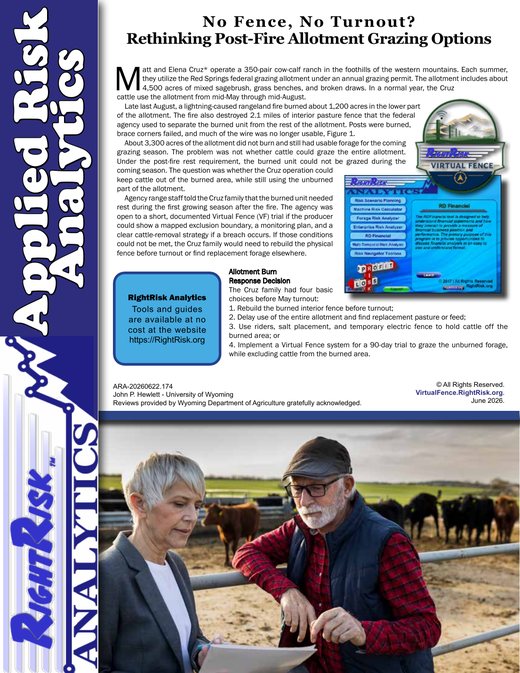
Case — No Fence, No Turnout?
A post-fire federal allotment decision evaluates a bounded 90-day trial under agency conditions and near-term uncertainty.
See your downloads folder after downloading the file.
Click OK to accept data input, then view the example entries and results.
Multi-year analysis
Multi-Temporal Risk Analyzer (MTRA)
MTRA is appropriate when alternatives have costs and benefits that unfold differently over several years, including capital decisions and other changes with multi-year consequences. The Virtual Fence materials below stay focused on VF applications; the tool itself remains maintained by RightRisk.
- RMF + Multi-Temporal Risk Analyzer (MTRA)
- Partial adoption
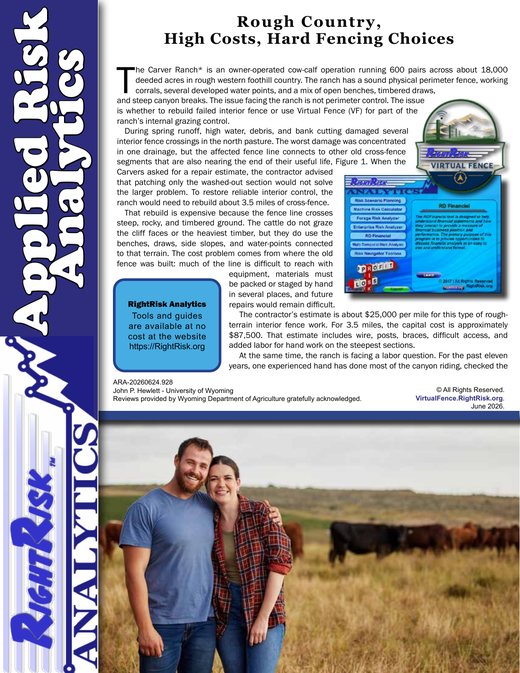
Case — Rough Country, High Costs, Hard Fencing Choices
A multi-year interior cross-fence decision compares different cost structures over time.
See your downloads folder after downloading the file.
Click OK to accept data input, then view the example entries and results.
RMF-only worked example
When screening is enough for the current decision
- RMF only
- Defer
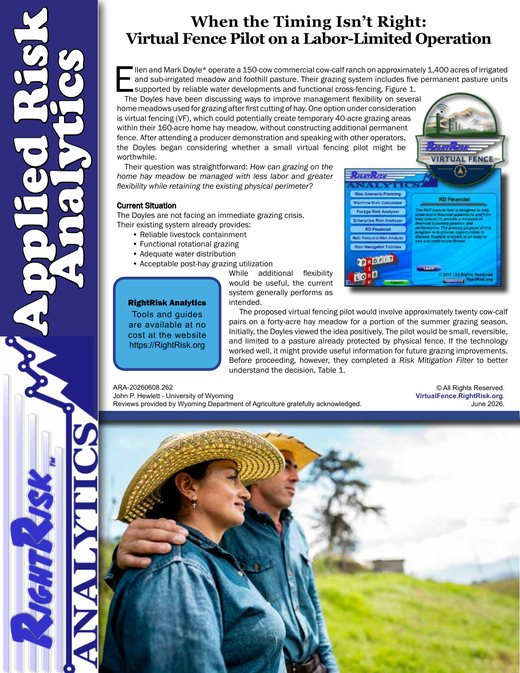
Case — When the Timing Isn’t Right
A labor-limited home-meadow decision shows how screening can support deferral without deeper analysis.
Open Case bulletin →Go further
Additional risk tools and virtual fence background
Use these outside resources when you need other RightRisk analysis or technical background beyond this project’s decision-support role.
RightRisk Analytics
The broader RightRisk suite includes additional risk-analysis tools referenced by the RMF and other decision contexts.
Open RightRisk Analytics →Rangelands Gateway Virtual Fence User Guide
A vendor-neutral portal with factsheets, tools, videos, webinars, and training resources.
Open Rangelands Gateway →NRCS Virtual Fence fact sheet
Federal agency background describing virtual fence system components and basic management uses.
Open NRCS fact sheet →University extension resources
Additional background from Oklahoma State, UC ANR, Oregon State, and the University of Arizona.
Quick reference
More to download
A one-look overview of how virtual fencing works.
Open infographic →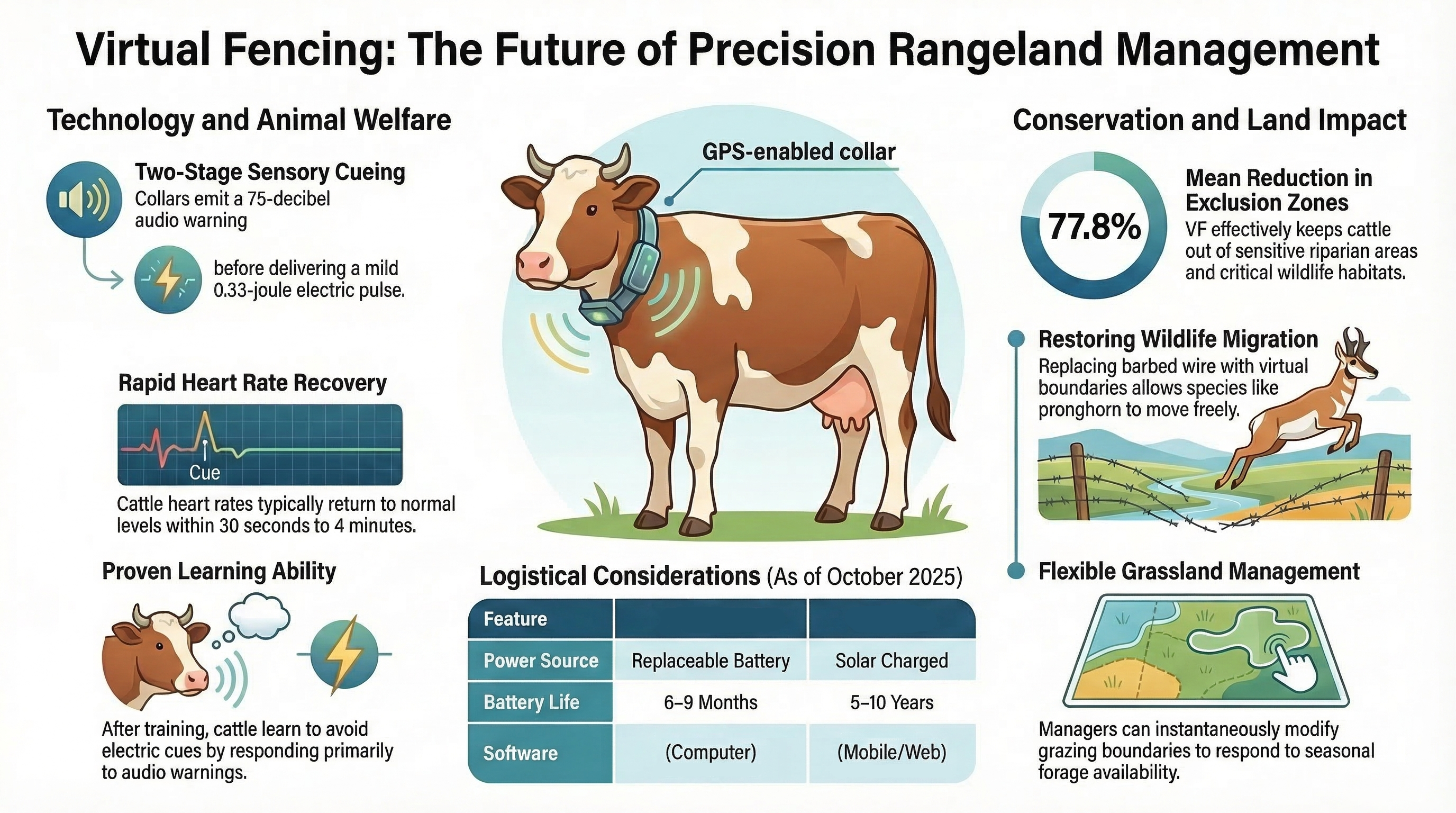
A one-page overview of this decision-support project and its audience.
Open project overview →